ChatGPT Multi-Image Ads: Specs, Setup & What Changed in 2026
ChatGPT multi-image ads are a newer Ads Manager format that lets advertisers show several related images inside one ad unit. This guide covers the current image count, 1:1 requirement, supported campaign objectives, shared destination URL, setup flow, European availability and the practical cases where multiple images make more sense than a single creative.
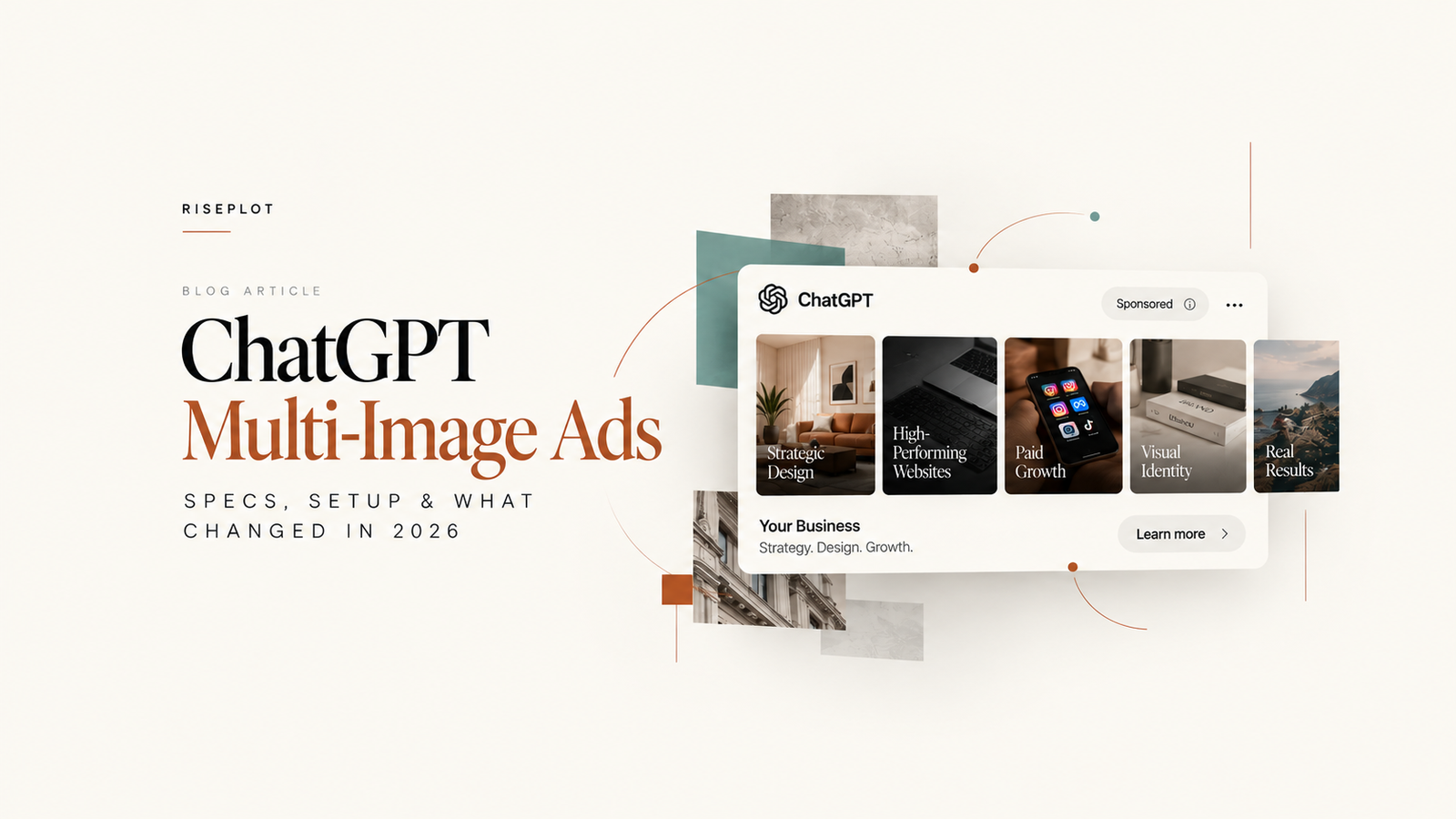
OpenAI introduced the Multiple images ad format in Ads Manager as an open beta on October 26, 2026. The current format uses 4–6 square images, one shared destination URL and the Learn more CTA. It is designed for advertisers who need more visual depth than a single-image ad without turning the ad into several unrelated landing-page paths.
Use ChatGPT multi-image ads when several related visuals help explain one offer: product angles, features, categories, stages or outcomes. Every image belongs to the same ad, uses the same destination URL and should support one coherent message.
What Are ChatGPT Multi-Image Ads?
ChatGPT multi-image ads are an Ads Manager creative format where multiple images appear inside one ad experience. OpenAI currently calls the option Multiple images under Ad format. The company does not describe it as a carousel, collection ad or gallery ad in its current advertiser documentation, so using the official terminology is the safer choice.
The format expands the creative surface without changing the basic structure of a standard ChatGPT ad: advertiser identity, title, description, destination URL and image creative. The difference is that the visual component can contain several related square images instead of one.
ChatGPT Multi-Image Ads: Specs at a Glance
How Many Images Can You Use?
OpenAI currently requires 4–6 images for the multi-image format. That does not mean the best creative automatically uses six. The useful question is whether every image adds new information while still supporting the same offer.
Good variation can come from different product angles, different use cases, a feature progression, before-and-after context, several categories within one collection or distinct creative concepts around the same landing page.
Avoid filling every available slot with near-identical images. More images only help when they create more useful visual coverage.
What Image Size Does ChatGPT Require?
The format-specific OpenAI guide currently specifies a 1:1 square aspect ratio for every image. It does not state a mandatory exact pixel dimension for the multi-image format.
Separately, OpenAI’s bulk-upload documentation says square image URLs used in Ads Manager should be PNG or JPG and no larger than 1200 × 1200. Treat that as a platform-level upload constraint, not as a claim that every multi-image creative must be exactly 1200 × 1200.
- Keep the visual system consistent across all 4–6 assets.
- Design for square cropping instead of repurposing wide banners.
- Keep important text and logos away from extreme edges.
- Use restrained text inside images; let the title and description carry most of the explanation.
- Use clean, high-quality imagery with a clear subject.
- Avoid cluttered or overly abstract visuals that are difficult to interpret quickly.
Think “one message, several proofs” rather than “six separate ads.”
The images should deepen one offer, not compete with each other or imply six unrelated destinations.
Can Each Image Have a Different URL?
No. OpenAI’s current documentation says a multi-image ad uses one destination URL. Every image is clickable, but all images point to that same URL.
If six images represent six unrelated products that each need a different product page, the current format is not built for six independent landing paths. A collection page, category page or one tightly matched landing page may make more sense.
OpenAI also allows tracking parameters such as UTM tags to be added directly to the destination URL. The same tracked destination is shared across all images.
Which Campaign Objectives Support Multi-Image Ads?
OpenAI’s current format-specific guide says both Single image and Multiple images are available for standard campaigns using Reach, Clicks or Conversions.
| Objective | Practical role | What to keep in mind |
|---|---|---|
| Reach | Prioritize visual exposure and message coverage. | Use multi-image when the added visual context genuinely improves the ad. |
| Clicks | Drive traffic to the shared destination URL. | Every image should set up the same landing-page promise. |
| Conversions | Optimize toward a supported standard conversion event. | Keep the image set aligned with the conversion page and offer. |
How to Create a ChatGPT Multi-Image Ad
The current Ads Manager workflow follows the same Campaign → Ad Group → Ad structure used for standard ChatGPT campaigns.
Open Ads Manager
Create a new standard campaign or open an existing campaign that is eligible for the format.
Choose a supported objective
Use the eligible objective shown in your account for Reach, Clicks or Conversions.
Create or select an ad group
Organize the ad around one clear offer, theme or intent area.
Add a new ad
Under Ad format, choose Multiple images.
Upload 4–6 square images
Use 1:1 assets that work together as one visual system.
Add the title and description
Keep copy clear, specific and benefit-focused.
Add the destination URL
Choose one landing page that remains relevant to every image in the unit.
Use the available CTA
OpenAI currently documents Learn more for multi-image ads.
Preview and validate
Check image order, crop, readability, landing-page alignment and tracking.
Submit for review
The ad must comply with OpenAI Ads Policies before it can serve.
Monitor delivery
Review impressions, clicks, CTR and the conversion or business outcome that matches the objective.
ChatGPT Multi-Image Ads vs Single-Image Ads
Multi-image is not automatically better. It simply gives advertisers more visual space. The right format depends on whether that extra space improves understanding of the offer.
| Feature | Single-Image Ad | Multi-Image Ad |
|---|---|---|
| Number of images | 1 | 4–6 |
| Creative depth | One primary visual idea | Several related visual proofs or angles |
| Message complexity | Best for a simple proposition | Better when the offer benefits from more visual context |
| Visual storytelling | One frame | Can show progression, range or multiple aspects |
| Destination URL | One destination | One shared destination for all images |
| Setup complexity | Lower | Higher creative coordination |
| Best use case | One strong product, benefit or message | Several related products, features, angles or stages |
Best Use Cases for Multi-Image Ads
The format is most useful when several visuals support the same decision.
- E-commerce: several products from one collection, or multiple angles of the same product.
- SaaS: different product features, screens or workflows.
- Travel: related destinations, rooms, experiences or itinerary moments tied to one offer.
- Real estate: several features of the same property or development.
- Automotive: exterior, interior, technology and practical features around one model.
- Professional services: stages of a process, service categories or evidence of outcomes.
- Retail: range depth inside one category or seasonal collection.
None of these categories guarantees stronger performance. Use multiple images only when they communicate something one image cannot communicate as clearly.
Are ChatGPT Multi-Image Ads Available in Europe?
OpenAI currently lists self-service Ads Manager availability across many European markets. As of October 28, 2026, Latvia, Estonia and Lithuania are all listed as available for self-service advertiser access, alongside markets including Germany, France, Spain, Italy, the Netherlands, Sweden and the United Kingdom.
OpenAI does not currently publish a separate country list specifically for the multi-image format. Because the format is an open beta inside Ads Manager, practical access depends on your Ads Manager account, advertiser eligibility and the options available in that account.
There is an important EEA limitation: OpenAI says ad personalization is not initially available in the European Economic Area or Switzerland. Its campaign guidance also advises advertisers targeting the EEA or Switzerland to avoid custom audiences while personalization remains unavailable there.
For the broader rollout context, see RisePlot’s ChatGPT Ads Europe coverage.
What Advertisers Should Test First
Multi-image creative creates more variables than a single-image ad, so early tests should be simple enough to interpret.
- Product variety vs angle variety: several products from one category versus several angles of one hero product.
- Consistent system vs varied visuals: one controlled visual language versus deliberately different image concepts.
- Product-led vs benefit-led: show what the product is versus what the user gets from it.
- Image order: change which visual appears first and how the sequence develops.
- First-image strength: test whether the opening visual communicates the offer quickly enough.
- Copy alignment: make sure the title and description explain the same promise shown across the images.
Avoid changing every variable at once. Cleaner tests make it easier to understand why one creative direction performed differently.
Common Mistakes to Avoid
Repeating the same visual with minor changes wastes the extra creative space.
The format still represents one ad and one destination.
The shared URL must make sense for the full visual set.
Let the title and description do most of the explaining.
Six unrelated styles can make the unit feel fragmented rather than richer.
Blurry or poorly cropped images weaken the unit.
The current format uses one shared destination URL.
If one strong image explains the offer better, use the simpler format.
OpenAI has not published evidence that it universally outperforms single-image ads.
Frequently Asked Questions
What are ChatGPT multi-image ads?
They are a ChatGPT Ads Manager format that lets advertisers use multiple related images inside one ad unit. OpenAI currently labels the format “Multiple images.”
How many images can you use in ChatGPT multi-image ads?
OpenAI currently specifies 4–6 square images.
What size should ChatGPT ad images be?
The multi-image guide specifies a 1:1 square aspect ratio but no mandatory exact pixel dimension. Separate bulk-upload documentation caps square image URLs at 1200 × 1200.
Can each image use a different URL?
No. Every image in a multi-image ad currently links to the same destination URL.
Which campaign objectives support multi-image ads?
OpenAI’s current multi-image creation guide lists Reach, Clicks and Conversions. Because broader Ads documentation still uses Views for impression-based buying, verify the live objective label in Ads Manager.
Are ChatGPT multi-image ads available in Europe?
Ads Manager self-service is available in many European countries. OpenAI does not currently publish a separate multi-image country list, so access depends on Ads Manager availability, account eligibility and the format options visible in the account.
Are ChatGPT multi-image ads available in Latvia?
Latvia is currently listed by OpenAI as a self-service Ads Manager market. Multi-image access remains an open beta and should be confirmed inside the advertiser account.
Are multi-image ads better than single-image ads?
Not automatically. Multi-image is useful when several related visuals improve understanding of one offer.
Can e-commerce brands use ChatGPT multi-image ads?
Yes, where the advertiser and campaign are eligible. The format can be useful for product ranges, collections or multiple product angles that all support one destination.
Are multi-image ads still in beta?
Yes. OpenAI’s current documentation describes the format as an open beta introduced on October 26, 2026.
Exploring ChatGPT Ads in Europe?
RisePlot works across performance, creative and AI-search strategy from Riga, helping brands evaluate new acquisition channels without turning experimentation into guesswork.